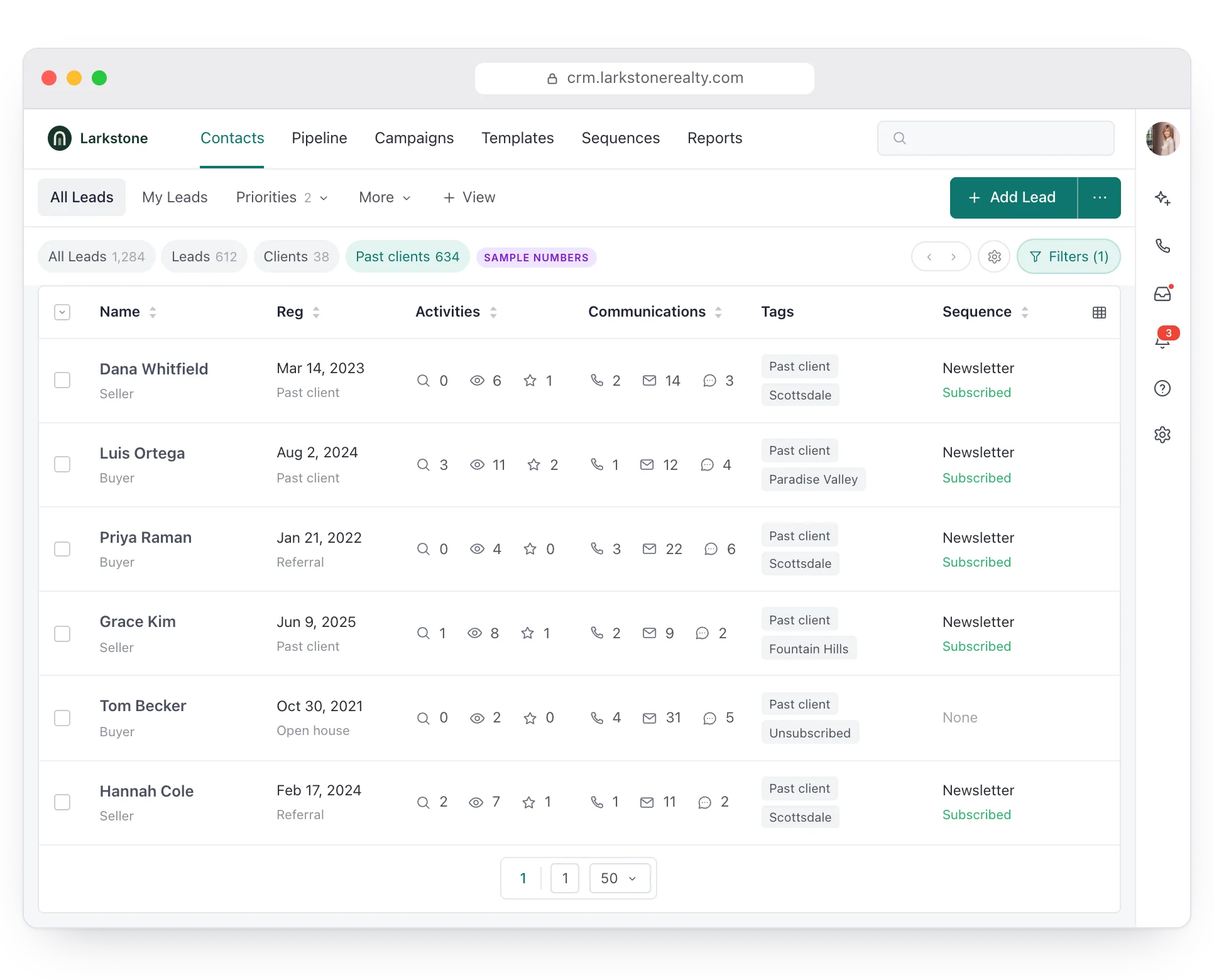
Three segments
Your list split into leads, clients and past clients in your CRM, so an issue can go to one group or all three.


Keeps past and potential clients engaged, designed and sent for you.
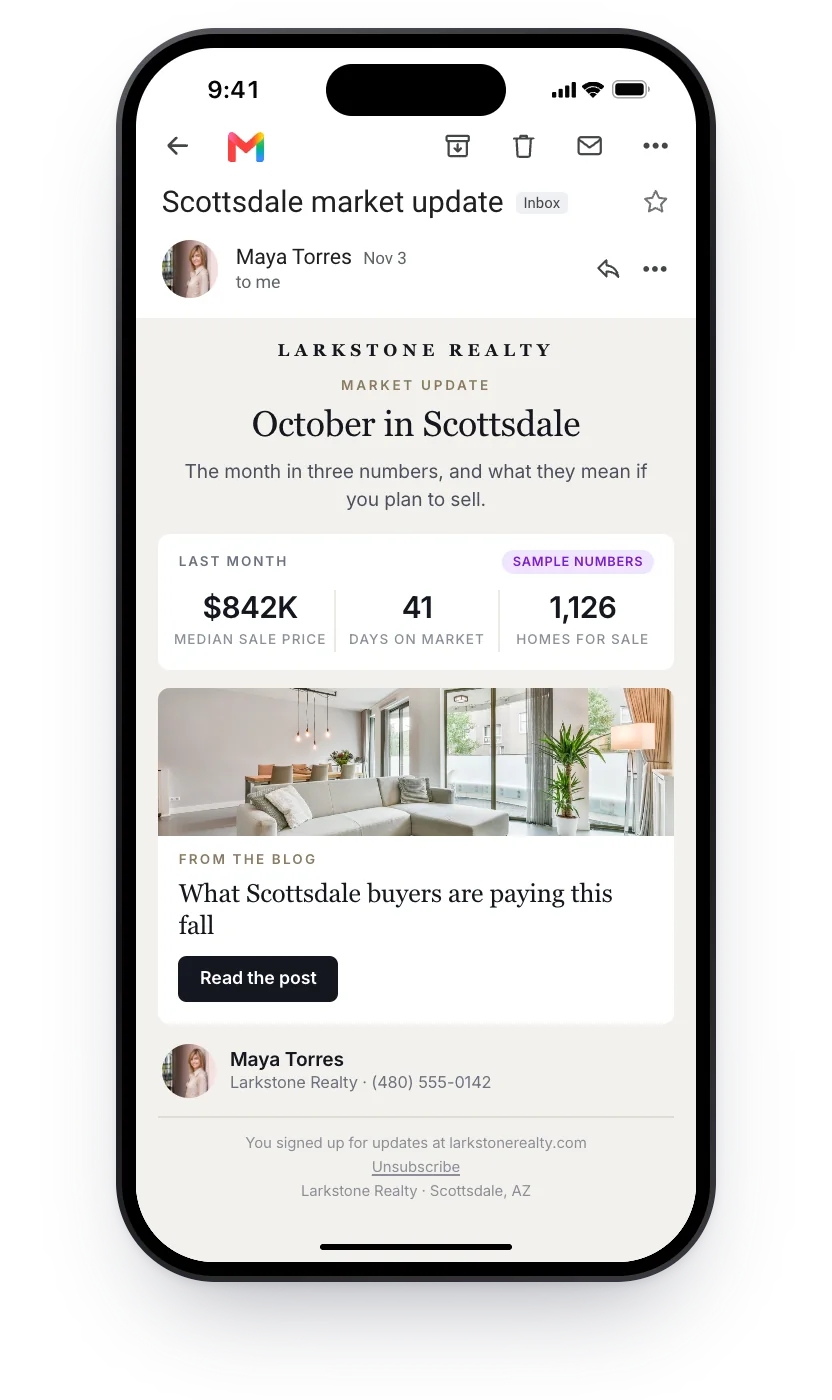
A designed email to your list on a schedule: new listings and market updates.
Your list split into leads, clients and past clients in your CRM, so an issue can go to one group or all three.
Branded templates with your logo and colors, reused from issue to issue. This one carries a market update.
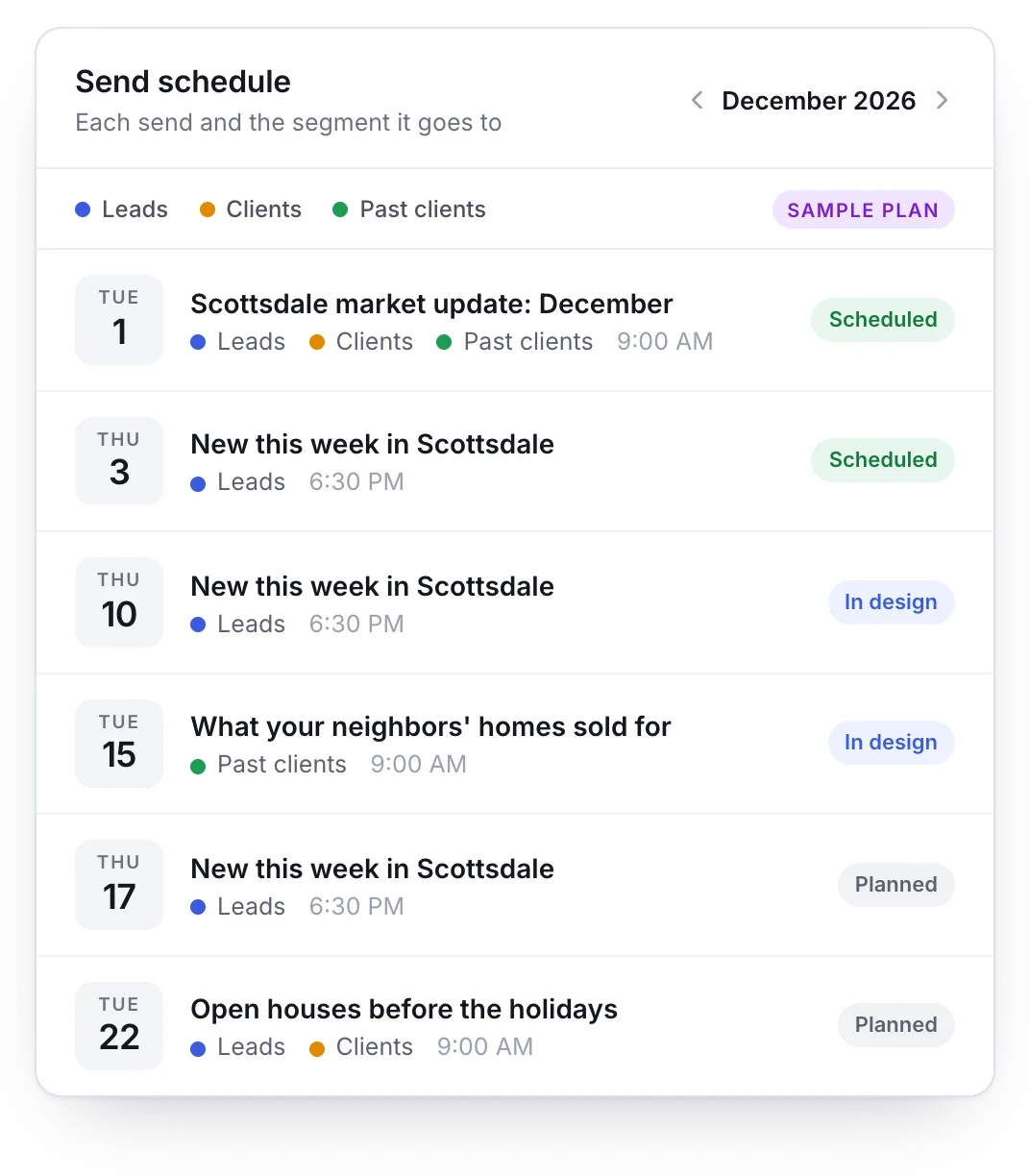
Each issue planned by date and segment, so sends keep a consistent cadence.
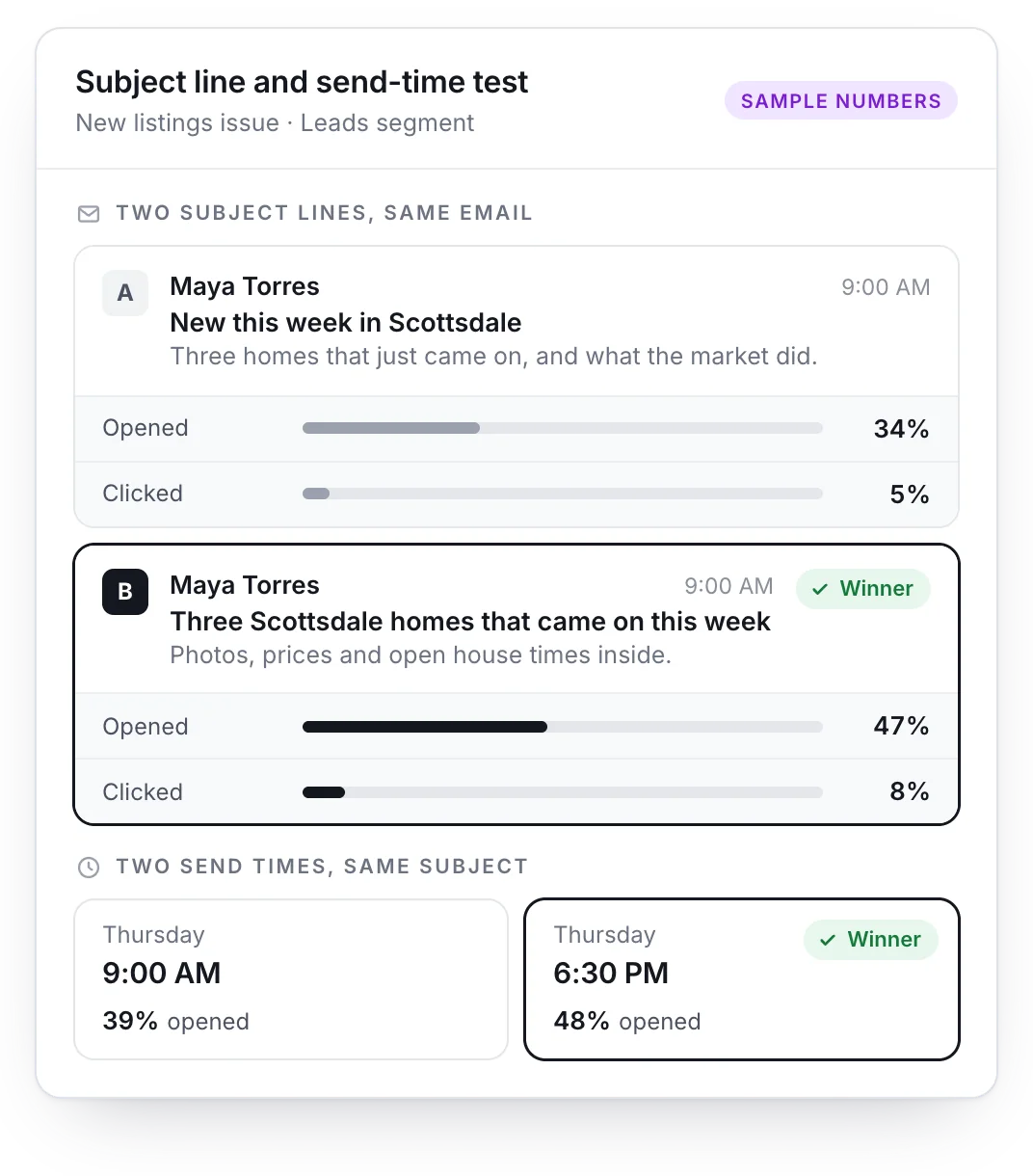
Two subject lines or two send times are tried on one issue to see which gets opened.
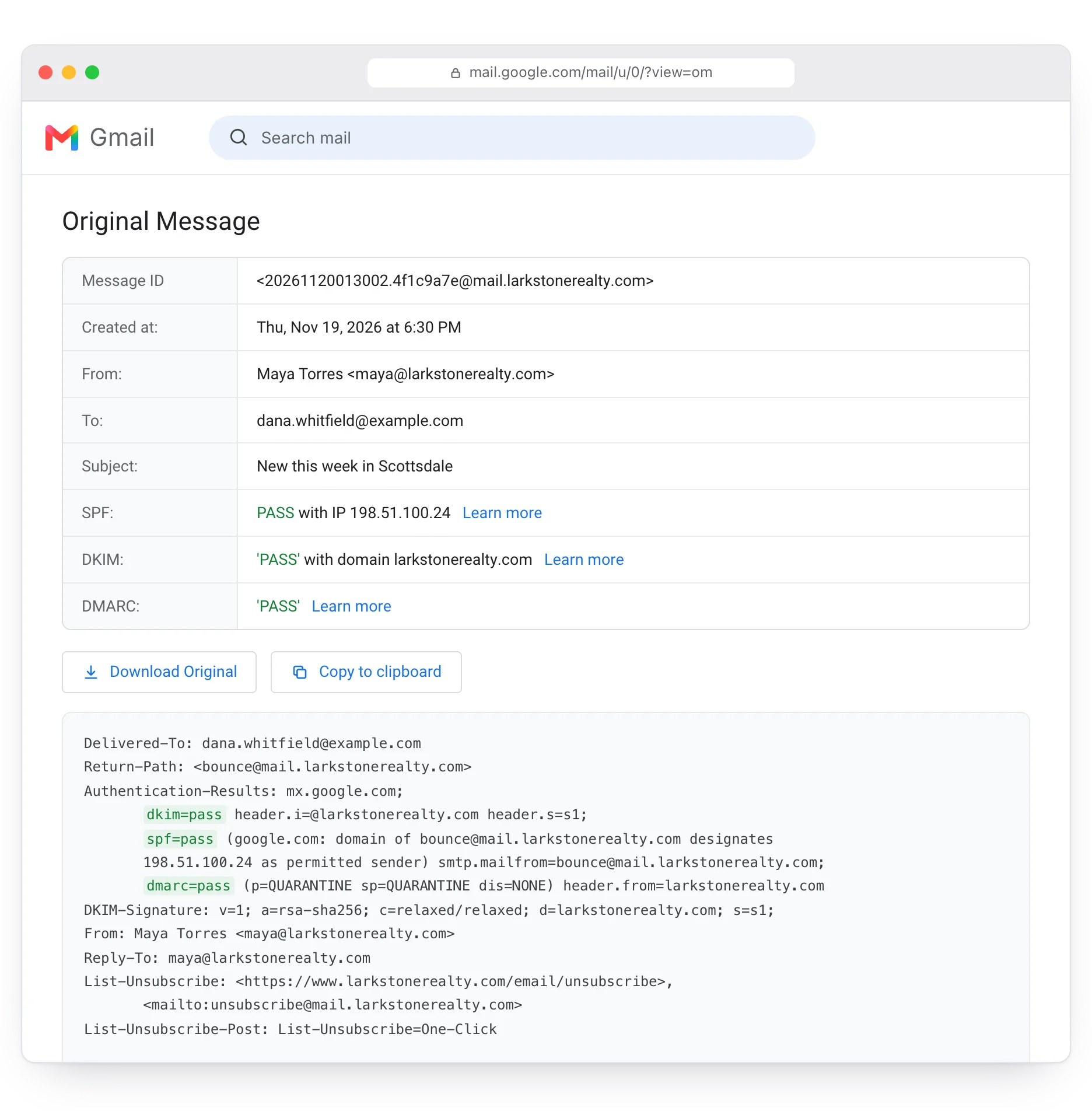
SPF, DKIM and DMARC set up on your sending domain. Here Gmail shows all three passing on a sent issue.
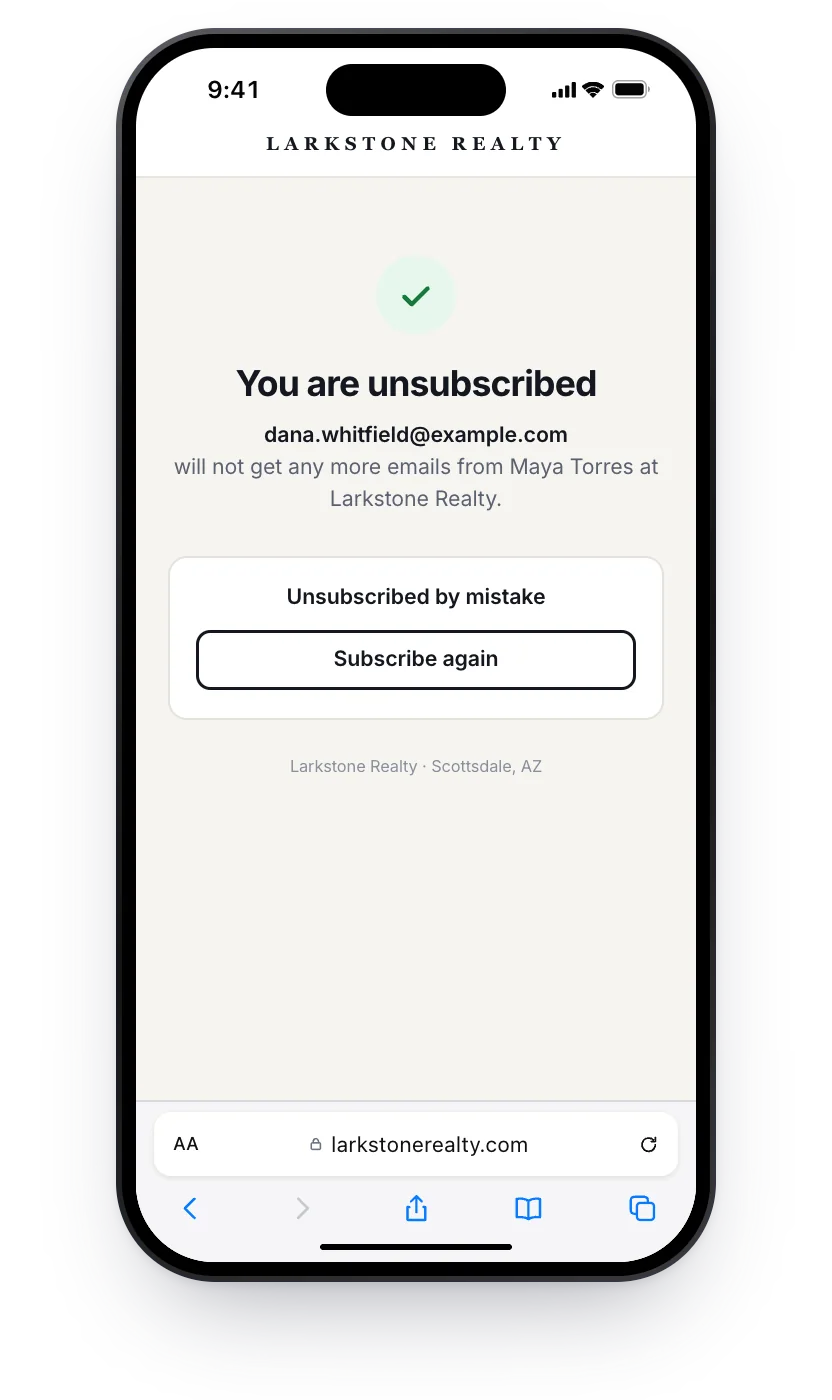
One press and they are off the list. Opens, clicks and unsubscribes are tracked for every issue.
From the first look at your accounts to a portal that shows the numbers.

We review your CRM and your list, then tag each contact as a lead, a client or a past client.
We set up SPF, DKIM and DMARC on your sending domain and design your templates.
The first issue goes out on the schedule, with tracking verified end to end.
Subject lines and send times are tested, and opens, clicks and unsubscribes are reported.
Access, mostly. We do the setting up.
No. We work inside the CRM you already use, such as Lofty, GoHighLevel or HubSpot. Your contacts are tagged there as leads, clients or past clients.
Deliverability setup is part of the service. With SPF, DKIM and DMARC in place, Gmail and other inboxes can verify the email is from you. Opens are tracked for every issue.
Unsubscribes are tracked and honored, email opt-in is recorded for each contact, and sends follow CAN-SPAM rules.


Local posts every month that build search traffic and authority over time.


Smart plans, workflows and re-engagement built inside Lofty or the CRM you already use, so no lead goes quiet.


Stay in front of the people who visited your site or opened a listing, until they are ready to talk.

We look at your site and your ads before the call, so we start from your numbers.